 Vexio
How Vexio works
From download to your first brand deal: here is how Vexio works for brands and creators.
Get started in four steps
- Download and sign in. Get Vexio from the App Store or Google Play and sign in with Apple or Google. No passwords to remember.
- Choose your role. Pick “hire creators” if you are a brand or business, or “creator” if you offer content or promotion.
- Set up your profile. Creators connect TikTok, Instagram or YouTube to get a verified badge. Everyone adds a name, photo, country and short bio.
- Find your match and agree the deal. Browse listings and hiring requests, filter by platform and price, and agree the details in a direct chat.
Listings and hiring requests
Creators publish listings: a service such as a TikTok video or a UGC ad, with a price. Brands publish hiring requests: a brief with the platforms they need and their budget. Both appear in Discover, where anyone can search them and filter by platform and price.
Verification
Verification uses the official sign-in of each platform, so a verified badge on Vexio means the creator really controls that account. Vexio shows public stats such as followers and views, and nobody can verify themselves.
Safety
You can block or report any account or message, and every member agrees to our Community Guidelines. You can delete your account and data at any time from Settings.
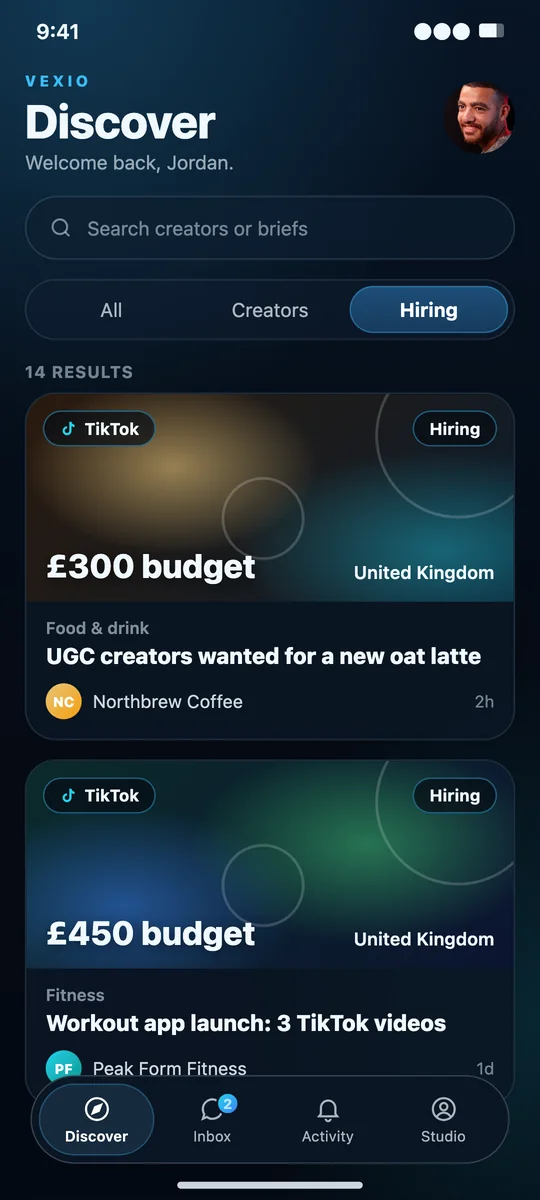
Screens shown with sample profiles.
Ready to start?
Download Vexio on the App Store or Google Play and start in minutes.